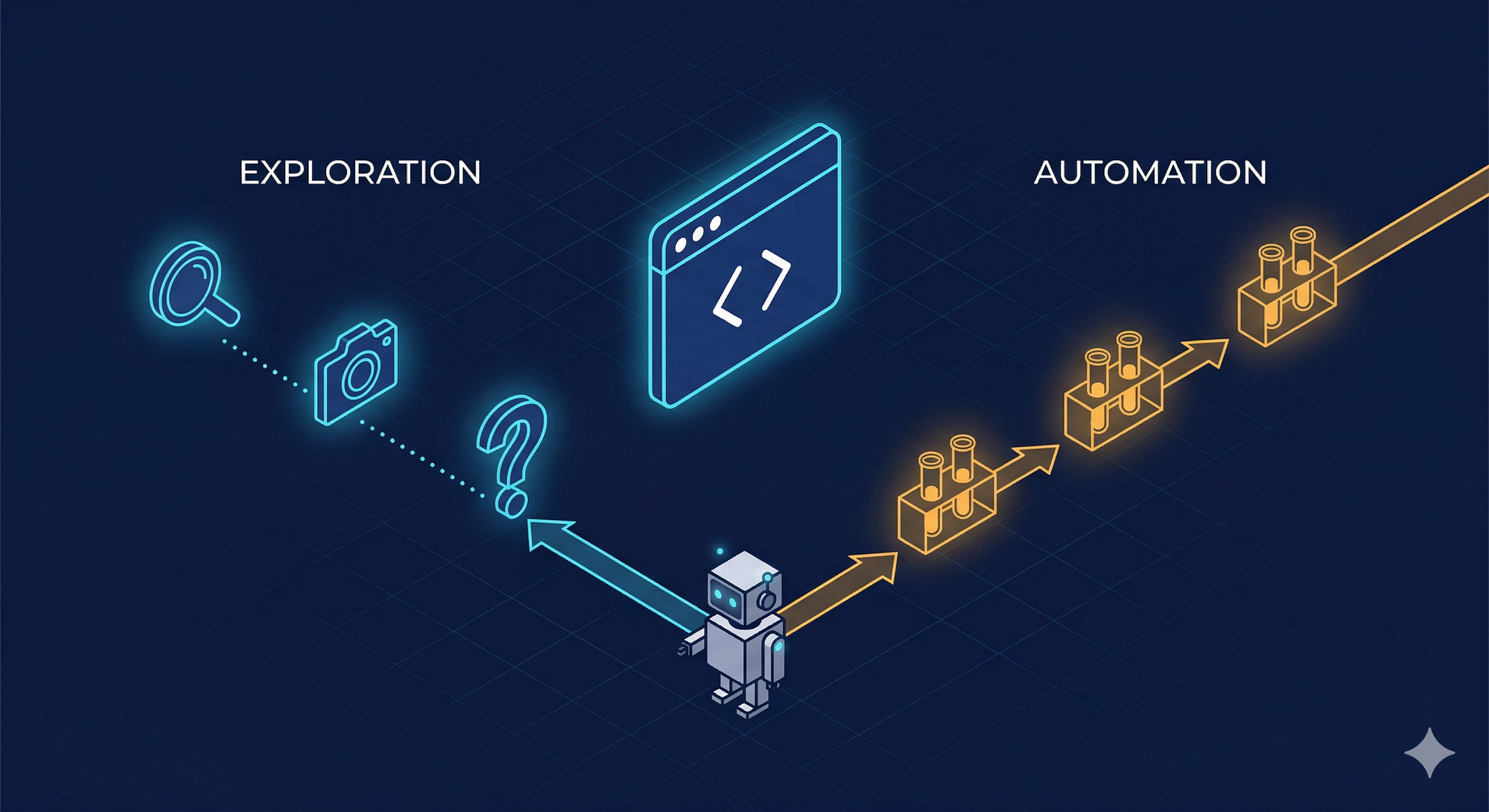
There’s a growing pattern in agentic development: give an AI agent a browser and let it figure things out. Tools like Playwright CLI, browser-use, and Claude Code’s computer use make it easy to point an LLM at a web page and say “test this.”
It works. Until it doesn’t.
After months of building an automated microservice deployment system where AI agents deploy, configure, and verify services end-to-end, I’ve landed on a clear mental model for when to use Playwright CLI (interactive, LLM-driven) vs standard Playwright scripts (deterministic, reproducible). The distinction matters more than most people think.
The Two Modes
Playwright CLI: Exploration Mode
The CLI is conversational. The agent navigates, takes snapshots, reads the DOM, decides what to click next. Each interaction is a new LLM call.
# Agent opens a page, takes a snapshot, reads the YAML, decides next action
playwright-cli -s=verify open https://app.example.com --headed
playwright-cli -s=verify snapshot
playwright-cli -s=verify click e{ref-from-snapshot}
playwright-cli -s=verify fill e{input-ref} "search term"
This is how my verify-test skill works in the Data Source Automator pipeline. When I’m manually testing a newly deployed microservice with Claude Code, the agent:
- Opens the Verify platform in a browser
- Takes a snapshot (outputs a YAML with element refs)
- Reads the snapshot to find the right elements
- Fills forms, clicks buttons, navigates
- Evaluates results and decides the next step
Each step is an LLM inference. The agent adapts — if a dropdown is missing, it investigates. If auth expires, it re-logs. If results look wrong, it digs deeper.
This is not testing. This is exploration.
Playwright Scripts: Reproducible Mode
Scripts are deterministic. Same input, same steps, same assertions. No LLM involved in execution.
import { test, expect } from "@playwright/test";

test("Verify service search returns results", async ({ page }) => {
  await page.goto("https://app.example.com");
  await page.fill('[data-testid="search-input"]', "ACME Corp");
  await page.click('[data-testid="search-button"]');

  const results = page.locator('[data-testid="result-row"]');
  await expect(results).toHaveCount({ minimum: 1 });

  const firstResult = results.first();
  await expect(firstResult).toContainText("ACME");
});
No snapshots, no YAML parsing, no LLM reasoning about what to click next. Just code.
Why This Distinction Matters for AI Agents
When I first built the deployment automation system, everything used the CLI approach. The LLM agent would:
- Deploy the service (git tag, config-deploy update, ArgoCD sync)
- Run infrastructure checks (pods, health, swagger, etcd)
- Open a browser via Playwright CLI
- Navigate the platform UI to configure and test the service
- Evaluate results and report
It worked. But three problems emerged quickly:
1. Token consumption exploded
Every Playwright CLI interaction requires the LLM to:
- Read the full snapshot YAML (often 500+ lines)
- Reason about which element to interact with
- Formulate the next command
- Evaluate the result
For a typical verification flow (login → configure → search → validate results → check details), that’s 15-20 LLM calls with large context. At scale, testing 50+ microservices, this was burning through tokens fast.
2. Variability killed reliability
The same test run twice could take different paths. The LLM might:
- Click a different element if the snapshot was slightly different
- Interpret results differently based on context window state
- Get confused by UI changes that didn’t affect functionality
A test that passed Monday might fail Tuesday — not because the service broke, but because the agent reasoned differently.
3. Stable workflows don’t need reasoning
After the first few runs, I noticed the verification pattern was always the same:
- Login (or restore auth state)
- Navigate to settings
- Configure autodiscovery
- Create an application
- Execute a search
- Validate results have data
- Open a detail view
- Capture evidence screenshots
This doesn’t need an LLM. It needs a script.
The Architecture I Landed On
┌─────────────────────────────────────────────────┐
│           Deployment Pipeline                    │
│                                                  │
│  Deploy ──► Infra Checks ──► Browser Tests       │
│                                  │               │
│                          ┌──────┴──────┐         │
│                          │             │         │
│                    Playwright     Playwright      │
│                    Scripts        CLI             │
│                    (default)     (fallback)       │
│                          │             │         │
│                    Deterministic  LLM-driven      │
│                    Fast           Adaptive         │
│                    Low tokens     High tokens      │
│                          │             │         │
│                          └──────┬──────┘         │
│                                 │                │
│                          LLM receives            │
│                          outputs only            │
└─────────────────────────────────────────────────┘
Scripts run first. They handle the happy path: login, navigate, search, assert, screenshot. The orchestrating LLM agent receives only the test output (pass/fail + screenshots), not the raw DOM.
CLI kicks in as fallback. When a script fails unexpectedly — a UI change, a new modal, an element that moved — the agent switches to CLI mode. Now it can explore, take snapshots, reason about what changed, and either fix the issue or report it.
This is the key insight: the LLM doesn’t need to see every page load and every DOM tree. It just needs the results — and the ability to dig deeper when something goes wrong.
Real Example: The Generated Test Pattern
In the demo-video system, I took this further. Tests are auto-generated from scene definitions:
// scenes/uk-hmrc-supervised-business-register-video-a.ts
// Scene definitions: what to do, in what order, with what data
export const SCENE_CONFIGS = [
  { id: "login", name: "Login to platform" },
  { id: "navigate-settings", name: "Open service configuration" },
  { id: "configure-autodiscovery", name: "Enable the service" },
  { id: "create-application", name: "Create test application" },
  { id: "execute-search", name: "Run company search" },
  { id: "validate-results", name: "Check search results" },
];

// Each scene is a function: (page: Page) => Promise<void>
export const SCENES: Record<string, (page: Page) => Promise<void>> = {
  "login": async (page) => {
    await page.goto("https://demo1-dev.simplekyc.com");
    // ... deterministic steps
  },
  // ...
};
The generated spec file is pure boilerplate — iterates scenes, records timestamps, saves output. Zero LLM involvement at runtime.
// Auto-generated — do not edit manually
test("Record UK HMRC Supervised Business Register", async ({ browser }) => {
  const context = await browser.newContext({
    recordVideo: { dir: VIDEO_DIR, size: { width: 1280, height: 720 } },
    viewport: { width: 1280, height: 720 },
  });

  const page = await context.newPage();
  for (const config of SCENE_CONFIGS) {
    const sceneFn = SCENES[config.id];
    await sceneFn(page);
  }
  await context.close();
});
The LLM’s role? It wrote these scenes initially (using CLI exploration to understand the UI). Then it stepped back and let the scripts run.
When to Use Each
| Playwright CLI | Playwright Scripts | |
|---|---|---|
| Purpose | Exploration, debugging, unknown flows | Verification, regression, known flows |
| LLM involvement | Every step | None at runtime |
| Token cost | High (snapshots + reasoning per action) | Near zero (agent only reads output) |
| Reproducibility | Low (LLM may take different paths) | High (same code, same steps) |
| Adaptability | High (handles unexpected UI) | Low (breaks on UI changes) |
| Speed | Slow (LLM latency per step) | Fast (native browser speed) |
| Best for | First-time flows, debugging failures, navigation | Repeated verification, CI/CD, evidence capture |
The Mental Model
Think of it like a human QA engineer:
- First time testing a feature? They click around, explore, take notes. This is CLI mode.
- Writing the regression test? They script the exact steps they just explored. This is script mode.
- Test fails unexpectedly? They go back to manual exploration to understand why. CLI mode again.
An AI agent should work the same way. Explore with the CLI, codify with scripts, fall back to CLI when scripts break.
Practical Guidelines
-
Start with CLI exploration when the AI agent encounters a new UI or flow. Let it snapshot, reason, navigate.
-
Once the flow is stable (works 3+ times consistently), generate a Playwright script. The agent itself can write it — it already knows the selectors and flow from its CLI exploration.
-
In automated pipelines, always use scripts as the primary test runner. The orchestrating LLM receives
stdout(pass/fail, screenshots), not DOM trees. -
Keep CLI as fallback. When a script fails, the agent can switch to CLI mode to diagnose: “The search button moved — let me take a snapshot and find it.”
-
Never ship CLI-only tests in CI. If your AI agent is doing 20 LLM calls per test run in CI, you’re paying for reasoning you don’t need.
Navigation vs Testing
One more distinction worth making: pure navigation is conceptually different from testing.
If an AI agent needs to browse the web — research a topic, fill out a form, extract data from a page — CLI is the right tool. That’s not testing, it’s interaction. The agent needs to reason about what it sees.
But the moment you’re verifying that a known flow produces expected results? That’s testing. Script it.
The pattern is simple: explore with CLI, verify with scripts, fall back to CLI when things break. Your AI agents will be faster, cheaper, and more reliable.
This approach is running in production for 50+ microservice deployments. The token savings from switching repetitive verifications to scripts were significant enough to justify the refactor within the first week.
For a deeper dive into the script-based approach — including scene recording, voiceover generation, and video assembly — see I Made a Product Demo Video Entirely with AI.