The Pipeline Nobody Opened
In this article
There is a case study on this site called Data Source Automator. You give it a public registry, and a chain of agents researches the source, writes the requirements, designs the API contract, generates the microservice, deploys it and verifies it. I still stand behind that page. The pipeline did what it says.
And yet, after several iterations and rounds of testing, the project failed. Not because it produced bad services, but because the developers it was built for didn’t want to use it. So we are turning it into something else: a plugin for the coding agent those same developers already have open.
I think the reason it failed is more interesting than any of the technical work, and it is the same argument I made a few months ago in Bring Your App to the Agent, this time learned the hard way.
Working is not the same as being used
When I talked to the developers, the complaint was not about quality. It was about friction. Using the pipeline meant leaving their usual flow, going to another application, feeding it a source, waiting, and then reviewing what came out. Compared with how they already work, it offered less interactivity and less information.
That comparison is the whole story. Their usual flow is not “write everything by hand”. Their usual flow is Claude Code or Codex in a terminal: they ask, they watch what the agent reads and changes, they interrupt when it goes the wrong way, they correct it in the next message. Against that baseline, a platform that takes the task away and returns a result feels like a step back, even if the result is good. You see less of what happened and you have fewer moments to steer it.
And it was circular. When something in the output was wrong, the fix didn’t happen in the platform: they went back to their own editor and their own agent to correct it. We made them leave their way of working to use the pipeline, and the moment anything failed, the pipeline sent them straight back to it. The platform added a round trip without removing the place they ended up in anyway.
Another framework for writing code
Looked at from there, part of what we built makes little sense. Developers already use AI to write code. Building a second framework whose job is also to write code means competing with the tool they chose, not helping them with it. The same goes for the requirements stage: people already draft and discuss requirements with Claude, Codex or ChatGPT. A separate interface for that is one more place to go, not one less.
The valuable part was never the framework. It was the knowledge of how to do this specific job: how to research a registry, what the requirement documents need to contain, what the contract with the frontend looks like, which checks a service has to pass before anyone trusts it. That knowledge can live in a different container.
What the plugin format gives
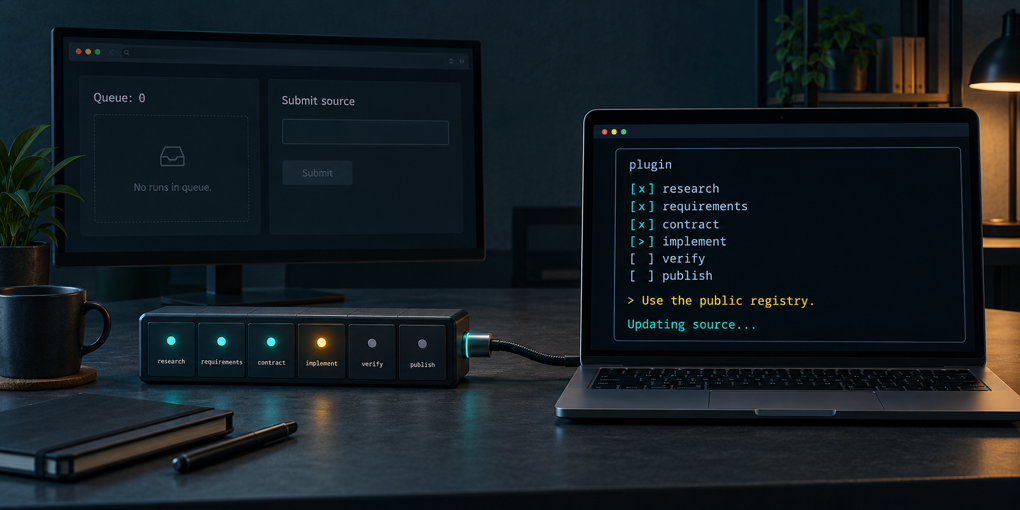
Turning the pipeline into a Claude Code plugin keeps the phases and changes everything around them.
No API bill anywhere. The developer already pays for a Claude or Codex subscription. The plugin runs on it. There are no keys to provision, no per-run cost to justify, no separate budget line for “the automation”. The economics stop being a conversation.
Feedback goes straight in. In the platform, a correction meant leaving it again, back to their own tools to fix the result there. Inside the agent, a correction is the next message. The developer sees the research as it happens, sees which files the agent is writing, and can stop it the moment something looks off. That is exactly the interactivity and information they said was missing.
No extra interface. The conversation is the interface. Nobody has to learn where things are, keep another tab open, or remember that the tool exists. The review screen we would otherwise have to design, build and maintain is the one they already know.
The knowledge stays, the plumbing goes. The domain rules, the order of the phases and the checks that decide whether a service is ready are all still there, written as skills and scripts the agent follows. What disappears is the part we had to build only because we were running our own agents: orchestration, session handling, a UI, a backend to hold it all together. That is plumbing the coding agent already provides.
The case study still stands
I don’t read this as “the pipeline was a mistake”. It proved the job could be automated end to end, and the plugin inherits all of what it learned. The case study describes a capability, and the capability is still there. What failed was the delivery: we put it somewhere the developers had to go to, when they already had somewhere they were.
That is also why the plugin now appears on my Plugins & Skills page next to the others, with the same phases as the original pipeline.
The question I would ask earlier next time
In Bring Your App to the Agent I wrote that the user already has an AI and doesn’t want another app. I was thinking of consumer products. It turns out to apply even more strongly inside a company, to developers, who are the people most likely to already live inside an agent. And as I described in The Interface Moved Up, the place where they live keeps getting better at showing them what matters.
None of this means every AI tool should be a plugin. If the people who will use it don’t already work inside an agent, or the work has to run with nobody watching, a platform of its own can still be the right call. But before building an AI tool for people who already use AI every day, I would now ask one question first: does this compete with the agent they already have, or plug into it?
We answered that question late. The plugin is the answer we should have started with.
The plugin is internal, so the repository is private; its phases and skills are described on the Plugins & Skills page. The original pipeline is documented in the Data Source Automator case study.